


True Heritage & Ancestry: EDNA
4.1417.00 Reviews
App Specs
- Version
- 1.0.23
- Updated On
- License
- Free
- Downloads
- 100,000+
- Developer
- MOBIVERSITE YAZILIM BILISIM REKLAM VE DANISMANLIK
- Categories
- Lifestyle
- Platform
- Android
Screenshots
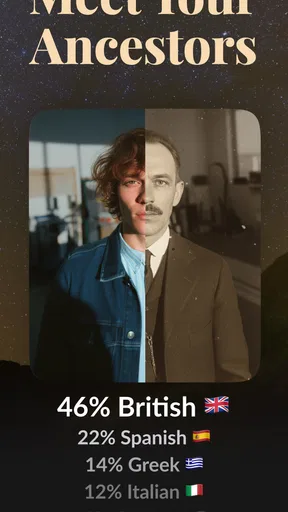
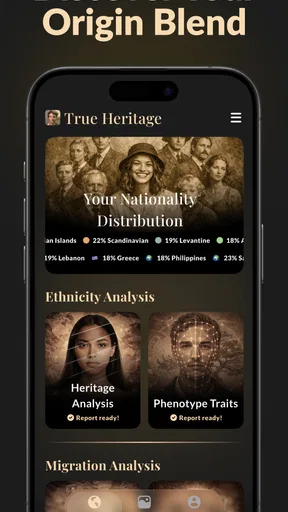
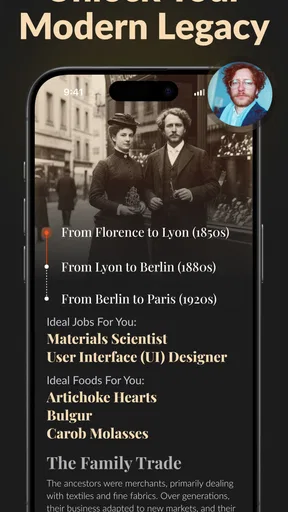
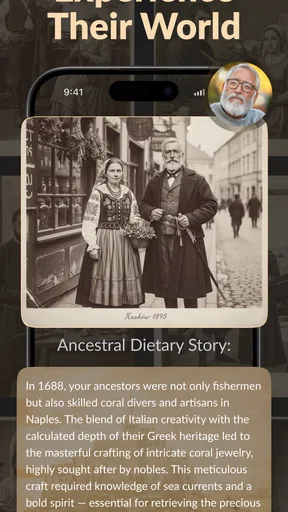
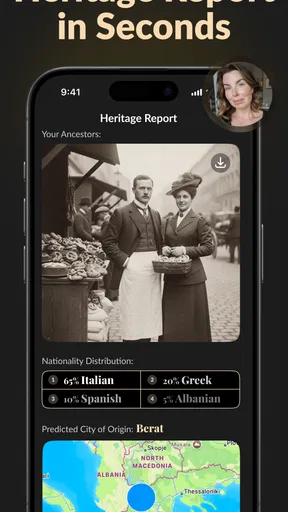
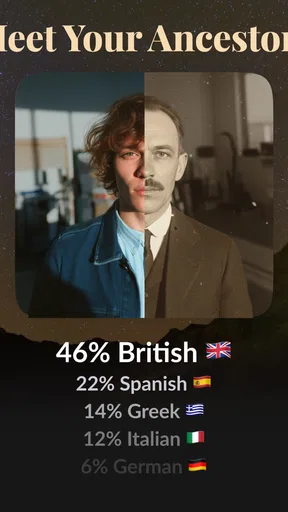
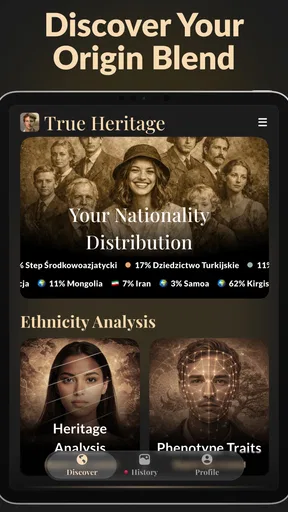
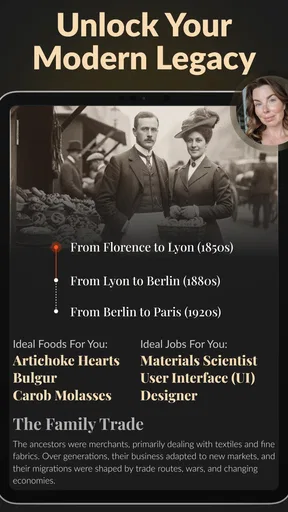
 Analysis by AppCompare
I approach ancestry apps with equal parts curiosity and caution. A family-origin estimate can be a fun conversation starter, but it is not the same as documentary proof or a complete account of anyone’s identity. That distinction matters especially when an app invites you to begin with a selfie: a quick result may feel personal, yet it should not be treated as a settled answer about your family history.
True Heritage & Ancestry: EDNA is a free lifestyle app from MOBIVERSITE YAZILIM BILISIM REKLAM VE DANISMANLIK. It has a 4.1 average from around 38,000 ratings, and its audience has passed 100,000 installs. Those figures suggest plenty of people are interested in trying it, but popularity alone cannot tell me how accurate an ancestry claim is or whether the app fits someone’s privacy expectations.
Start with curiosity, not certainty
The app’s central appeal is easy to understand: it offers a low-effort way to explore questions about nationality, family origin, and ancestry using a selfie. That makes it different from the more involved routes people often use, such as building a tree from conversations and records or taking a DNA test. A selfie-based result is convenient, but I would treat it as an exploratory prompt rather than evidence of biological ancestry.
That is the main trust context I would keep in mind before opening the camera. A face-based interpretation and a DNA analysis are not interchangeable methods. If you want a reliable account of genetic relationships, a selfie app is not a replacement for a DNA test. If you want to document relatives, dates, and sources, a dedicated genealogy tool may be a better starting point. EDNA is most appealing when you understand that distinction and are simply curious to see what the app presents.
Check the choices before sharing anything
For an app built around a selfie, I recommend pausing at each screen that asks you to provide an image or other personal information. Read the wording, check what you are being asked to allow, and make a deliberate choice rather than tapping through just to reach a result. The important practical question is not only what the app can do, but what you are comfortable submitting for that purpose.
I would not assume that a privacy claim, a permission prompt, or a polished interface answers every question about storage, deletion, or onward use. Those are the kinds of details I want to see explained clearly inside the app before I share a face image. If a choice is unclear, my advice is simple: stop and review it instead of treating access as a harmless formality. With ancestry-related content, a result may also touch on family members who have not chosen to take part.
Keep the result in perspective
A useful way to try a selfie-based ancestry app is to separate entertainment from research. You might look at a result, note what surprised you, and then use it to start a conversation with relatives. You should not use it by itself to make decisions about identity, medical history, legal status, or family relationships. Those questions need stronger evidence and, in some cases, qualified advice.
Worth Reading Before You Choose

EA SPORTS FC Mobile 26 Is a Bigger Football Game, but It Takes Time

Flipboard Shows What News Apps Must Do Beyond the Feed

Switching to Android Auto Means Rethinking Your Driving Routine

Google Calendar Makes a Crowded Week Easier to Manage

Ludo King Makes the Most of the Minutes Between Plans

Baby Panda World Brings Quick Play to Modern Phones, but Its Game Library Feels Busy
There is also a social wrinkle: family-origin claims can be sensitive. If you share a result with relatives, present it as something the app suggested, not as a proven revelation about the whole family. That small bit of context can prevent an interesting experiment from becoming an uncomfortable argument.
Unpacking the Features
First things first, this app is all about getting to the heart of your family tree. The interface is super intuitive, which makes it easy to navigate even for those who might not be super tech-savvy. After installing, you get a neat little walkthrough on how to get started. The app guides you through inputting basic information and suggests taking a DNA test for more accurate results.
One of the coolest features? The DNA Matching. Once you’ve got your DNA results, the app does its magic and connects you to potential relatives. It’s kind of like social networking but for your family history. You can see how you’re connected, which is both fascinating and slightly mind-blowing.
Diving into Historical Records
Another standout feature is the access to historical records. The app pulls from a massive database, giving you access to census data, birth certificates, and even newspaper archives. It’s like having a mini library in your pocket. I found it particularly handy to verify some family stories that were passed down to me. Spoiler: some were true, some not so much!
What really impressed me was how the app presents this information. It’s visually engaging with timelines and maps that illustrate your family’s journey through the ages. This isn’t just data; it’s a storytelling tool that brings your ancestry to life.
Building Your Family Tree
Creating your family tree is a breeze. The app has a drag-and-drop interface for adding family members, along with a feature to upload photos and documents. It’s like scrapbooking, but digitally. And who doesn’t love a good family photo album?
The app also allows you to share your tree with family members. This means you can collaborate with relatives to fill in gaps and get a fuller picture of your heritage. It’s a neat way to get the whole family involved.
Community and Support
Joining the True Heritage & Ancestry: EDNA community is as easy as pie. There are forums where you can chat with other users, share tips, and even swap stories. It’s a supportive space for everyone who’s curious about their lineage.
Need help? The app offers robust support options. Whether it's through their FAQ section or customer service, they’ve got you covered. I had a few questions about interpreting DNA results, and their support team was quite responsive.
Privacy and Security
I know, I know. Sharing personal data can be a bit daunting. But rest assured, the app takes privacy and security seriously. They use encryption to protect your information, and you’re in control of what you choose to share. It’s comforting to know that your data is safe while you explore your heritage.
In a world where data breaches are all too common, it’s refreshing to see an app that prioritizes user privacy. It’s a detail that definitely earns a thumbs up in my book.
The Final Word
So, what’s the verdict on True Heritage & Ancestry: EDNA? It’s a fantastic tool for anyone curious about their family history. With its user-friendly interface, rich historical data, and engaging community, it’s a solid choice for diving into your ancestry. Whether you’re a genealogy enthusiast or just someone who wants to know more about where they come from, this app is worth exploring.
Life is a tapestry of stories, and this app is your gateway to discovering yours. So, why not give it a whirl? Who knows, you might uncover a few surprises about your past!
A sensible first session
For a low-pressure first try, I’d choose a selfie I am comfortable sharing, read each permission request, and pause before accepting any optional prompt. I would also avoid uploading a relative’s photograph without asking them first. Even when a family member is happy to discuss ancestry, that does not automatically mean they want their face used in an app.
After seeing a result, I’d write down the question it raises rather than treating the result as the answer. For example, if it leads me to wonder whether one branch of the family moved between regions, I’d ask an older relative what they remember or look for records in a genealogy service. This turns the app into a starting point for research instead of a substitute for it.
Where it fits among ancestry tools
Compared with a conventional family-tree app, EDNA’s selfie-led approach is quicker and less demanding at the outset. A tree-building service asks you to collect names, dates, documents, and family knowledge; that work takes patience, but it can leave you with a record you can inspect and improve. A DNA service, in turn, relies on a biological sample and its own testing process, which is a different basis for ancestry exploration. Each route answers a different kind of question.
I’d use EDNA for curiosity and conversation, a family-tree tool for organizing evidence, and a DNA test when genetic connections are the specific goal. The trade-off is convenience versus depth: a fast visual experience is easy to try, but it should not carry the same weight as a sourced family tree or a genetic result. If your main aim is to prove a relationship or trace a documented line, start with the tool designed for that job.
Who may enjoy it—and who may not
The app is likely to suit someone who likes lightweight lifestyle experiments and wants a simple way to spark a family-history conversation. It can also work for a person who has never researched ancestry and is not ready to spend time organizing old papers. Since it is free to install and rated for Everyone, the initial barrier may feel low, though the age label does not remove the need for care around personal images or family information.
I would steer away from it if you expect a selfie to deliver a dependable nationality or genetic conclusion, or if you are uncomfortable submitting a face image for an app-based analysis. It is also not the best choice for anyone who needs a carefully sourced research archive. In those cases, skipping the selfie step and starting with records, relatives’ accounts, or a suitable DNA service is a more responsible use of time.
Practical questions before committing
One question worth asking is whether a result can be checked independently. I would treat any ancestry claim as a lead to investigate, then seek corroboration from family testimony or records rather than relying on an attractive presentation. Another is whether you can control what you share: inspect the app’s visible choices and settings, and do not proceed if the terms around an image or account feel unclear.
Cost is another practical consideration. The app is free to download, while in-app purchases range from $5.99 to $39.99 per item, so I would look carefully at the purchase screen and confirm what an item provides before paying. A free install does not mean every part of the experience is free, and a purchase should not be mistaken for stronger evidence or greater accuracy unless that is clearly explained.
Compatibility may matter too: the current release is version 1.0.23 and requires Android 7.0 or later. If you are comparing options, I’d also consider whether you want a quick selfie-based exploration or a long-term place to organize family documents. That simple distinction will usually tell you more than a feature checklist.
A cautious recommendation
My view is that EDNA is easiest to recommend as a curiosity tool, not as an authority on ancestry. Its lifestyle framing makes sense for a casual first look, but the personal nature of a selfie means I would decide about sharing before I get caught up in the promise of a result. I would also keep paid options, family sensitivities, and the limits of any quick estimate in mind from the start.
If you approach it with those boundaries, it may give you an enjoyable prompt for conversations and further research. If you need evidence, privacy details that you can confidently evaluate, or a structured archive of your family’s past, use a more suitable resource instead. For me, that is the fairest way to try a personal ancestry app: stay curious, check the choices, and let evidence—not a single result—shape what you believe.
Pros
- Comprehensive ancestry insights.
- User-friendly interface.
- Accurate DNA analysis.
- Regular updates enhance features.
- Secure data protection policies.
Cons
- Limited free features.
- Requires stable internet connection.
- Occasional slow loading times.
- Subscription can be pricey.
- Customer support response lag.
FAQs for True Heritage & Ancestry: EDNA
What features does True Heritage & Ancestry: EDNA offer?
True Heritage & Ancestry: EDNA provides users with detailed insights into their genetic heritage through advanced DNA analysis. The app includes features like ancestry composition, regional breakdowns, and historical migration patterns. Users can also connect with genetic relatives and explore personalized health reports based on their DNA data.
Is my data secure with True Heritage & Ancestry: EDNA?
Yes, True Heritage & Ancestry: EDNA prioritizes user privacy and data security. The app uses robust encryption methods to protect your DNA data. Additionally, users have control over their information, with options to manage data sharing, delete their data, or download it at any time, ensuring full transparency and security.
How accurate are the ancestry results provided by the app?
The ancestry results offered by True Heritage & Ancestry: EDNA are based on extensive and up-to-date genetic research. While no DNA test can be 100% accurate, the app uses a large and diverse reference database to provide detailed and reliable ancestry reports. Users should consider results as informative estimates rather than absolute facts.
Can I connect with family members through the app?
Yes, True Heritage & Ancestry: EDNA includes a feature that allows users to connect with potential relatives based on shared DNA. The app facilitates communication through a secure messaging platform, enabling users to explore their family tree and build connections with newfound relatives while maintaining privacy controls.
Are there any additional costs associated with using the app?
While downloading True Heritage & Ancestry: EDNA may be free, certain features or reports might require in-app purchases or a subscription. It's essential to review the app's pricing structure to understand what is included for free and which features might incur additional costs, ensuring you can make informed decisions based on your needs.


